Skip to content

Import judgments + calibrate

About this walkthrough

Estimated time: 3 minutes Tags: judgments, calibration, ground-truth

Skip LLM generation by importing pre-curated judgments, then run the kappa calibration to measure agreement against human ground truth.

Trouble playing? Download the walkthrough video.

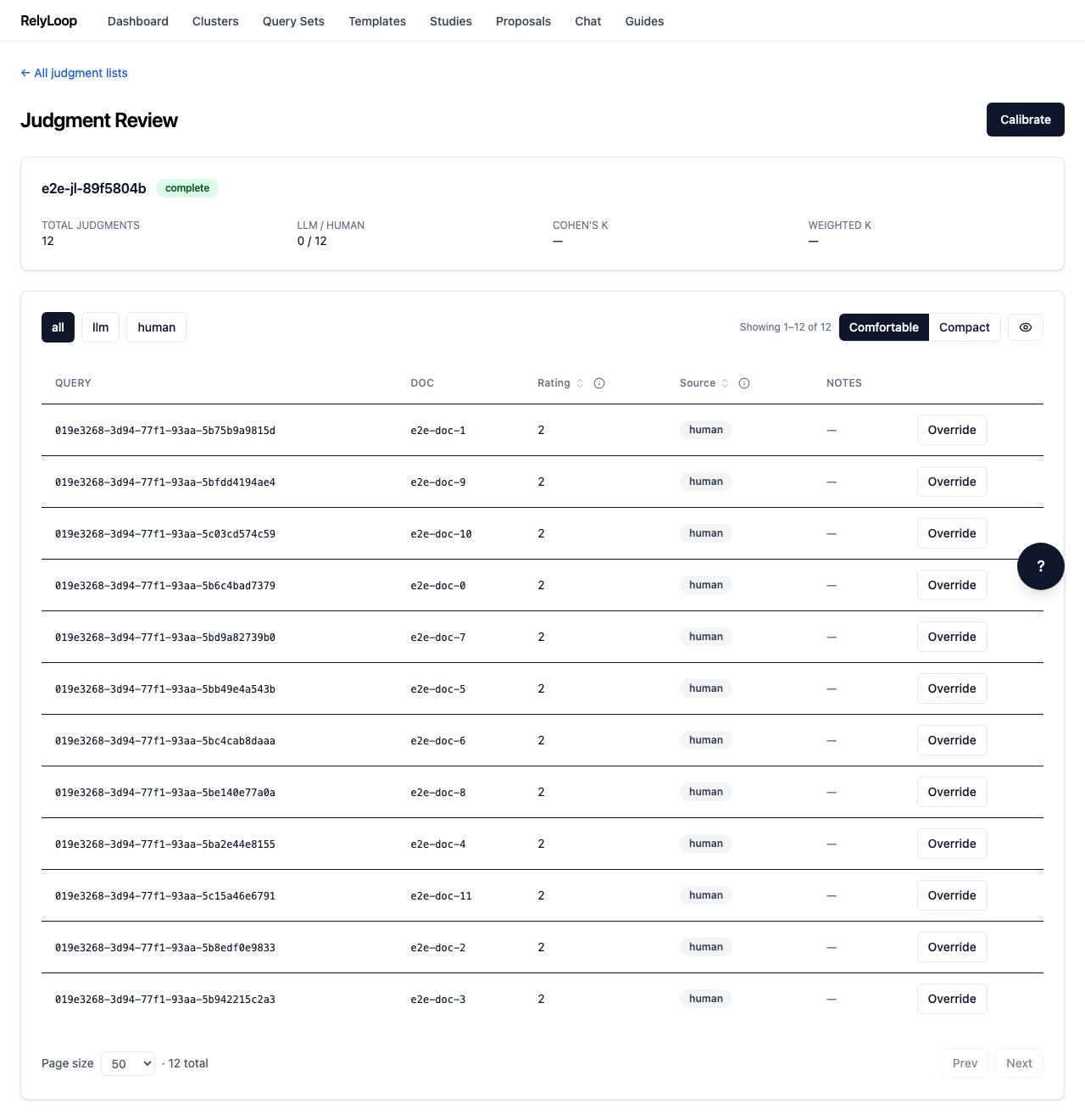
Step 1 — Open a judgment list's detail page (/judgments/{id}). The…

Open a judgment list's detail page (/judgments/{id}). The header shows the total count, source breakdown (LLM vs human), and current kappa scores. The list view below renders each (query, doc, rating, source) tuple with pagination.

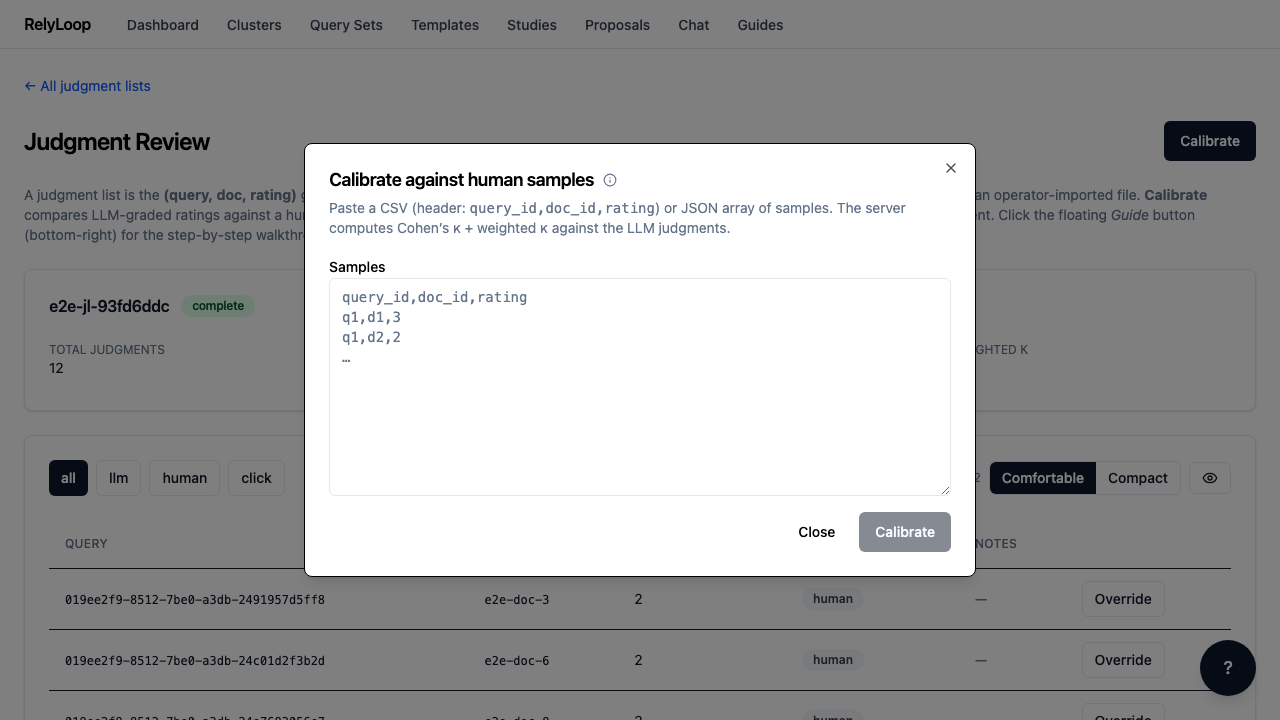
Step 2 — Click 'Calibrate' to open the kappa-computation modal. Calibration…

Click 'Calibrate' to open the kappa-computation modal. Calibration quantifies how much you can trust the LLM judgments by comparing them against a held-out sample of human ratings. Cohen's kappa scores the chance-corrected agreement; linear-weighted kappa accounts for how 'off' the LLM is when it disagrees (a 0-vs-3 disagreement weighs more than a 2-vs-3 one).

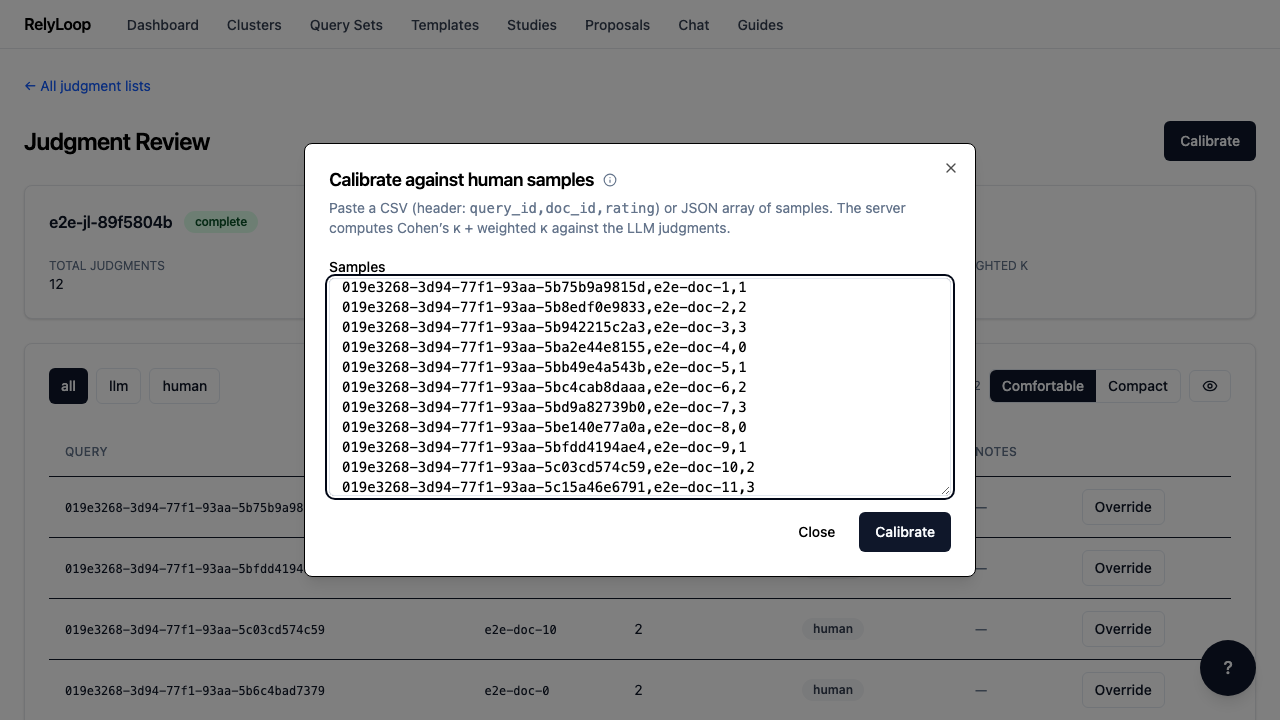
Step 3 — Paste a CSV of human-rated samples: query_id,doc_id,rating (header…

Paste a CSV of human-rated samples: query_id,doc_id,rating (header line required). The platform requires ≥10 distinct (query_id, doc_id) pairs that exist in the judgment list — fewer than that and the kappa isn't statistically meaningful, so the backend returns a 422.

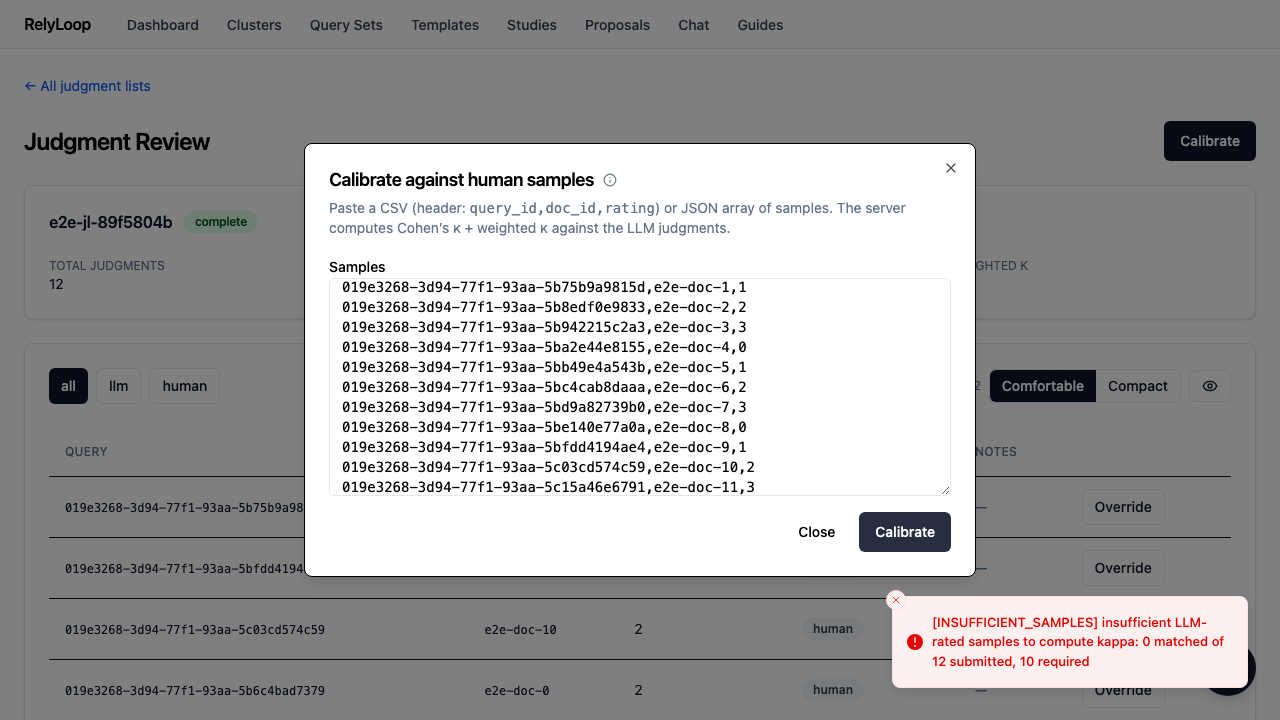
Step 4 — Submit. The result panel shows Cohen's kappa, linear-weighted…

Submit. The result panel shows Cohen's kappa, linear-weighted kappa, and the matched sample count. Both kappa scores are saved on the judgment_lists row, so future studies that reference this list inherit the calibration. The runbook at docs/03_runbooks/judgment-generation-debugging.md interprets kappa ranges (>0.6 substantial, >0.8 near-perfect).

← Back to walkthroughs