Skip to content

Review a proposal

About this walkthrough

Estimated time: 2 minutes Tags: proposals, review, git-ops

Open a pending proposal, read the config diff and metric delta, then decide whether to open a PR or reject.

Trouble playing? Download the walkthrough video.

Step 1 — Open the Proposals page. Every winning study config…

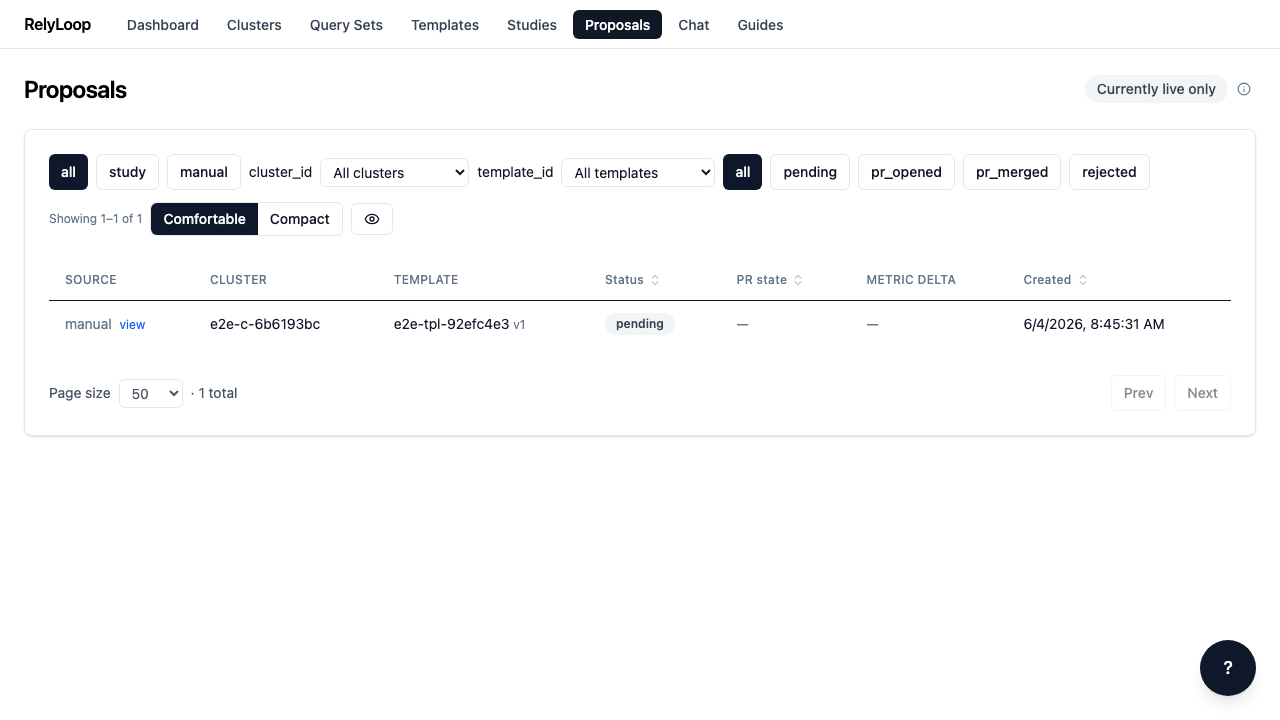
Open the Proposals page. Every winning study config and every manually-authored proposal lands here. Filter chips at the top scope by status, source, and cluster — start with 'All' to see everything.

Step 2 — Click the 'pending' chip to narrow to proposals…

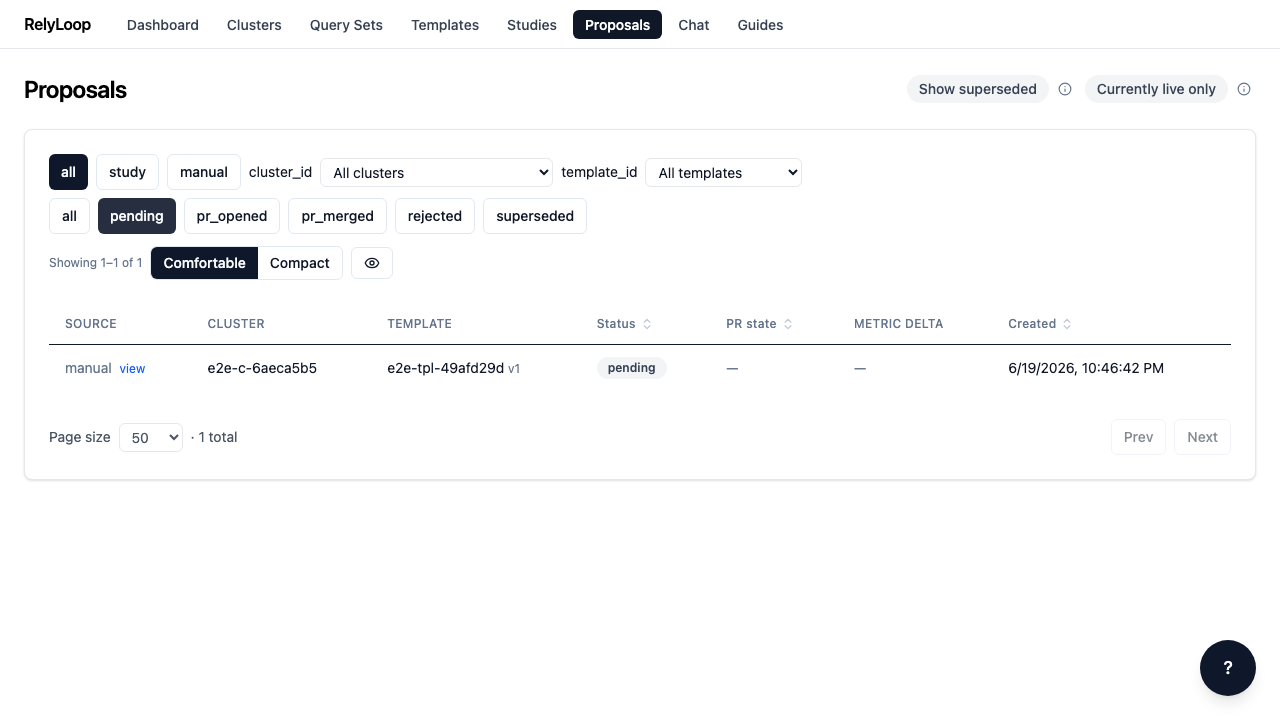
Click the 'pending' chip to narrow to proposals that haven't been opened as a PR or rejected yet. The URL updates with ?status=pending so the filter survives page reloads and is sharable.

Step 3 — Click a proposal row to open its detail…

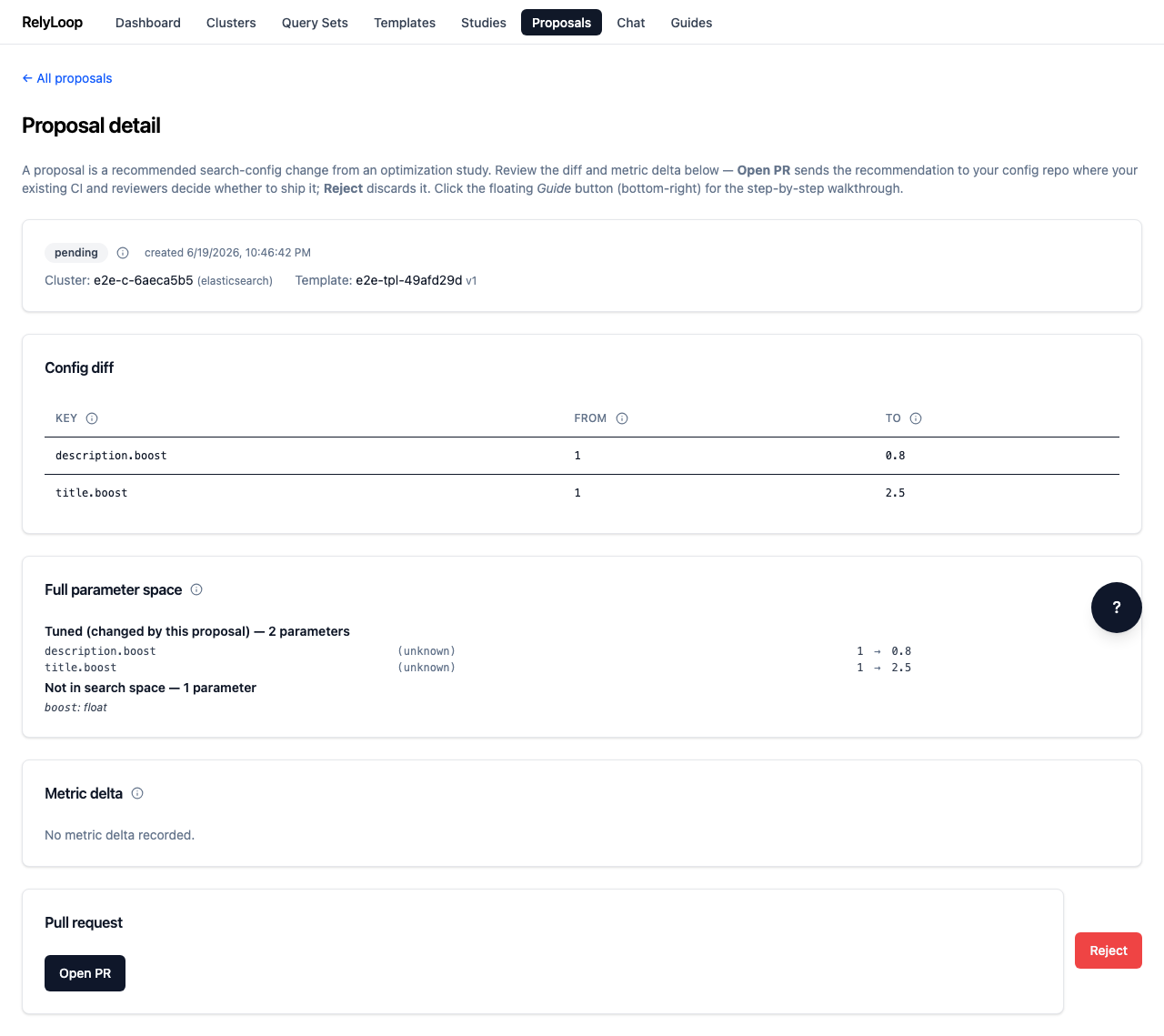
Click a proposal row to open its detail page. You'll see the source (study or manual), the cluster + template it targets, the proposed config changes, and the metric delta (when the proposal came from a completed study).

Step 4 — The Config diff panel is the load-bearing review…

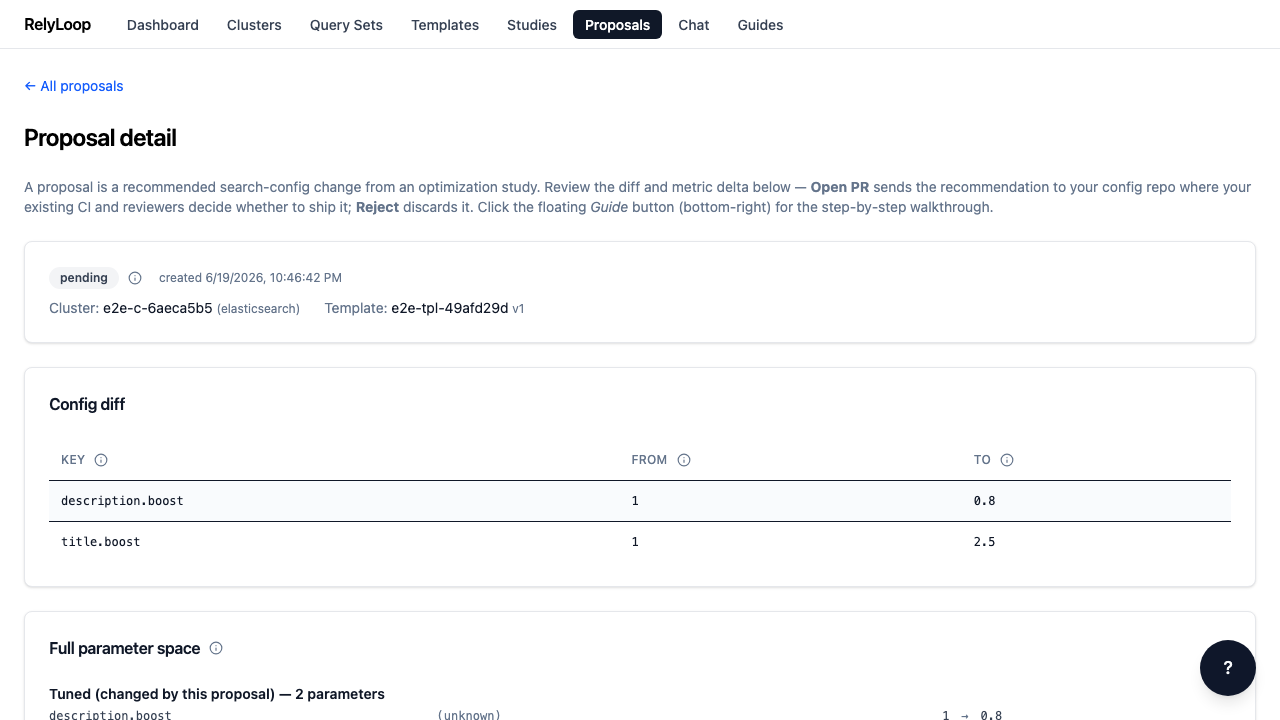
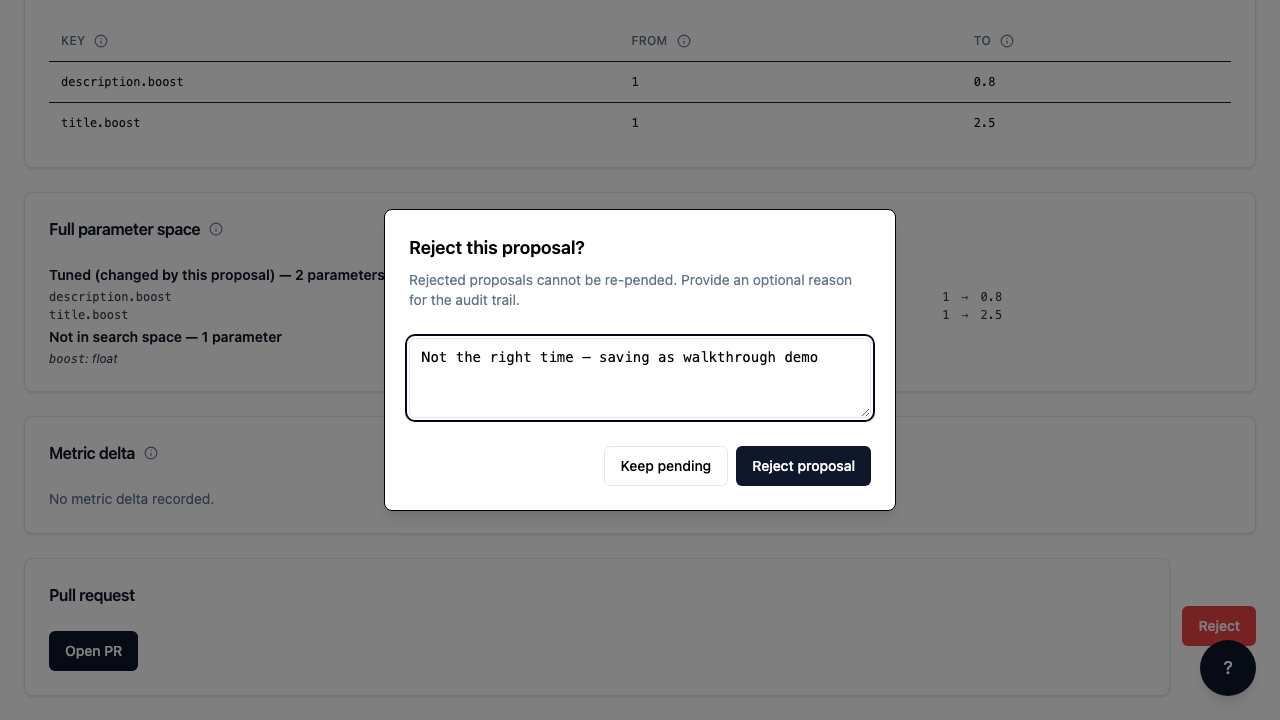
The Config diff panel is the load-bearing review surface. Each row is one parameter key being changed: title.boost from 1.0 → 2.5, description.boost from 1.0 → 0.8. The 'FROM' column shows the cluster's current value; 'TO' shows what the PR will write. (Manual proposals don't carry a baseline metric — those only ship from completed studies.)

Step 5 — If the proposal isn't right — wrong cluster,…

If the proposal isn't right — wrong cluster, regressed a query class the metric didn't capture, off-target for the current sprint — click 'Reject'. Provide a brief reason; rejected proposals stay in the queue but are filtered out by default. Alternatively, click 'Open PR' (top right of the detail page) to enqueue the GitHub PR worker.

← Back to walkthroughs