Skip to content

Create a query template

About this walkthrough

Estimated time: 3 minutes Tags: templates, setup, search-dsl

Define the Jinja2 query template — the 'knobs' Optuna will tune across trials — and learn the fork-to-v2 versioning pattern.

Trouble playing? Download the walkthrough video.

Step 1 — Open the Templates page. Every query template defines…

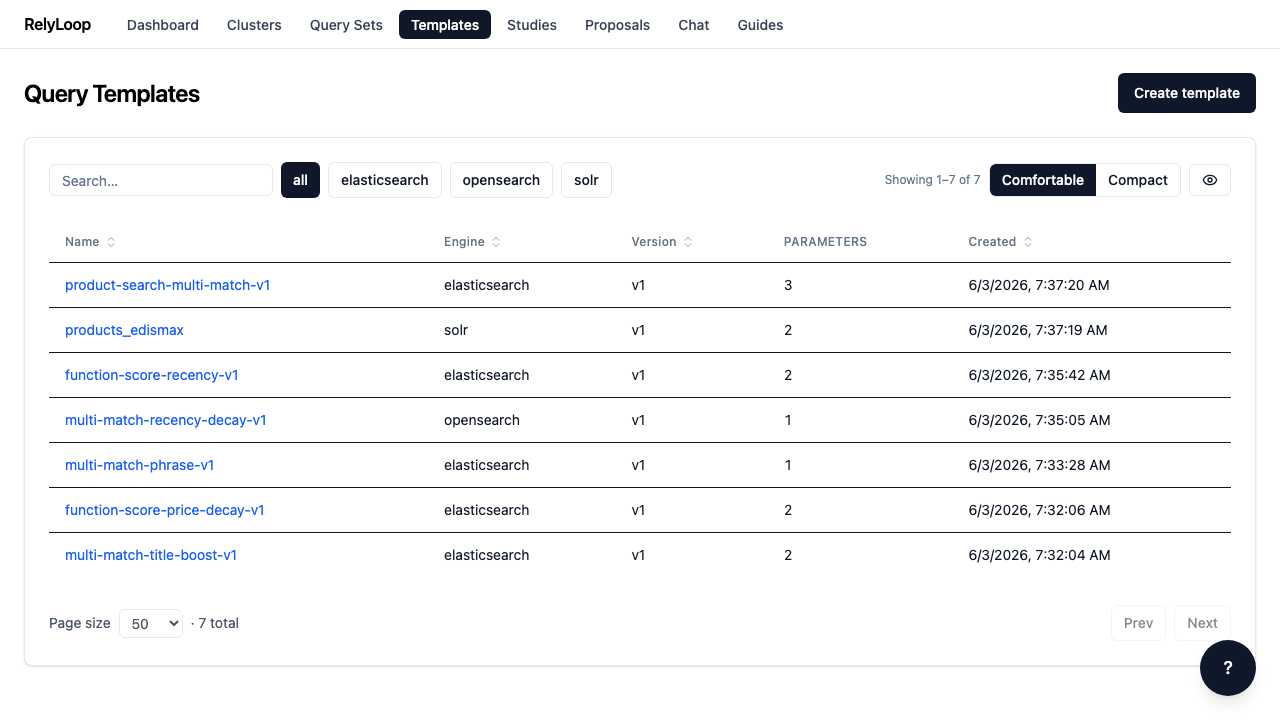
Open the Templates page. Every query template defines a Jinja2-rendered query DSL with named parameters — those parameters are what Optuna varies across trials. Click 'Create template' in the top right.

Step 2 — The create modal expects three things: a name,…

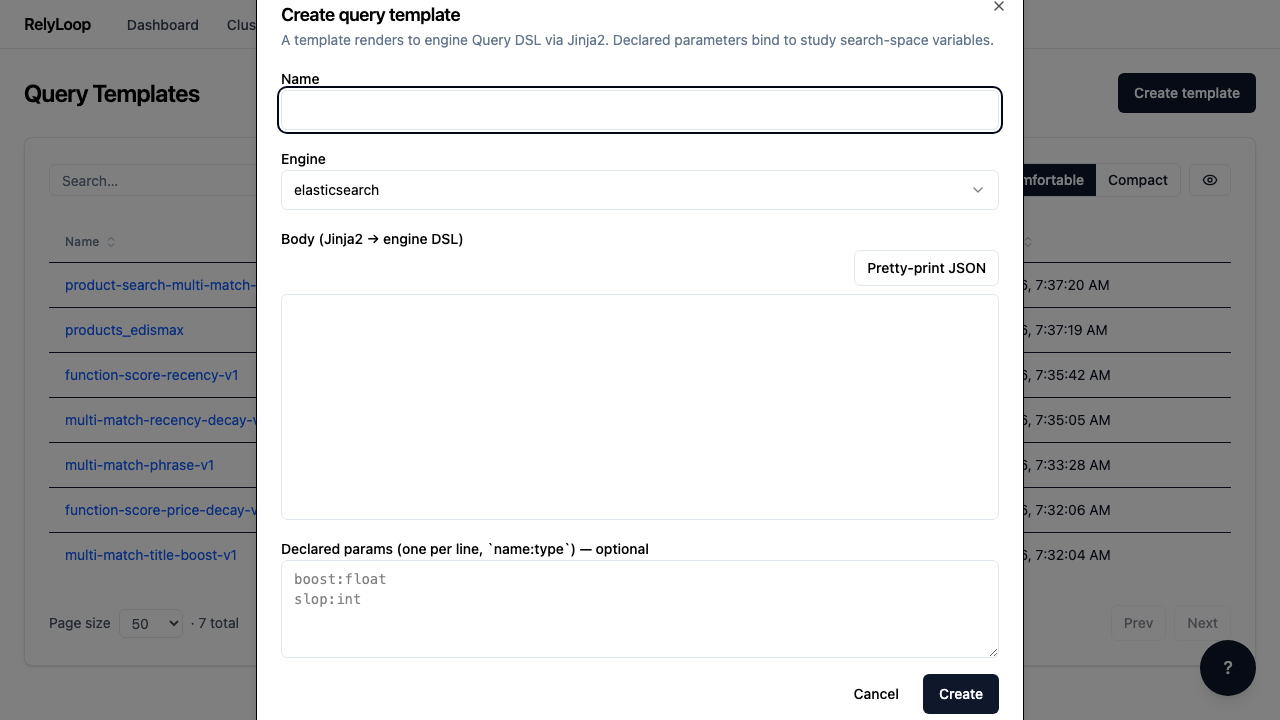
The create modal expects three things: a name, the Jinja2 body of the query, and a name:type list of declared parameters (one per line).

Step 3 — The body is a JSON template that embeds…

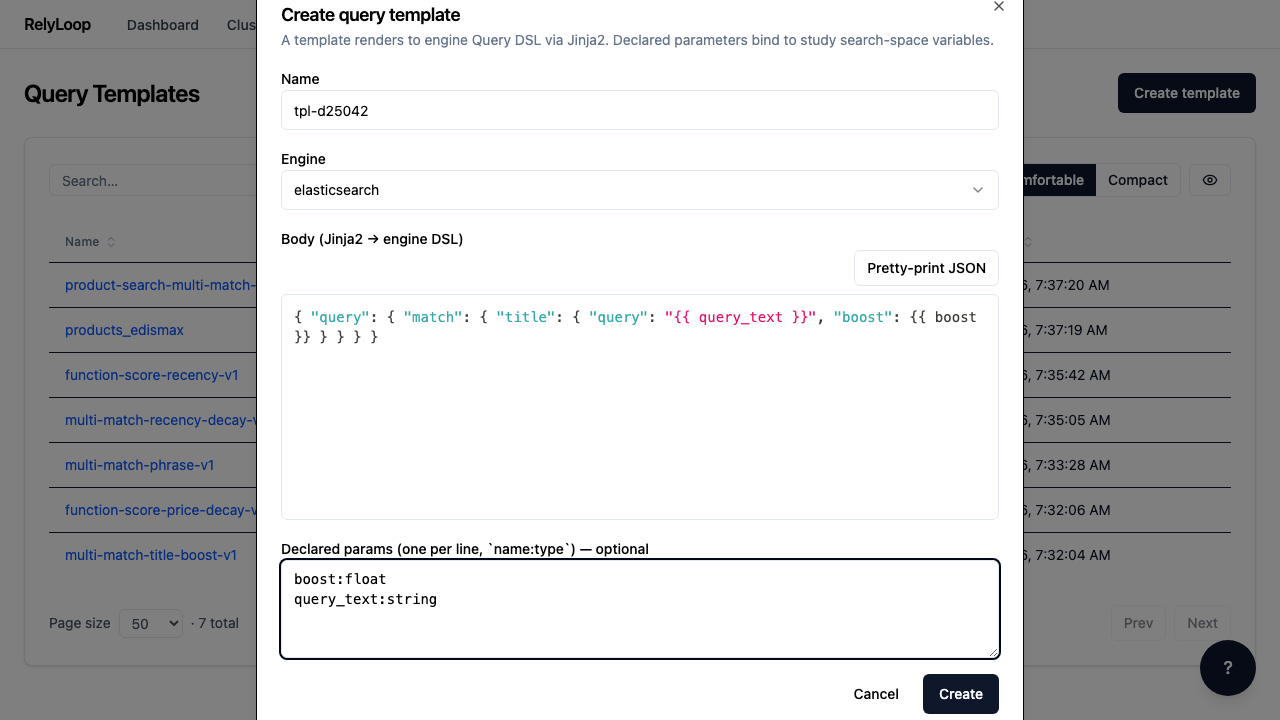
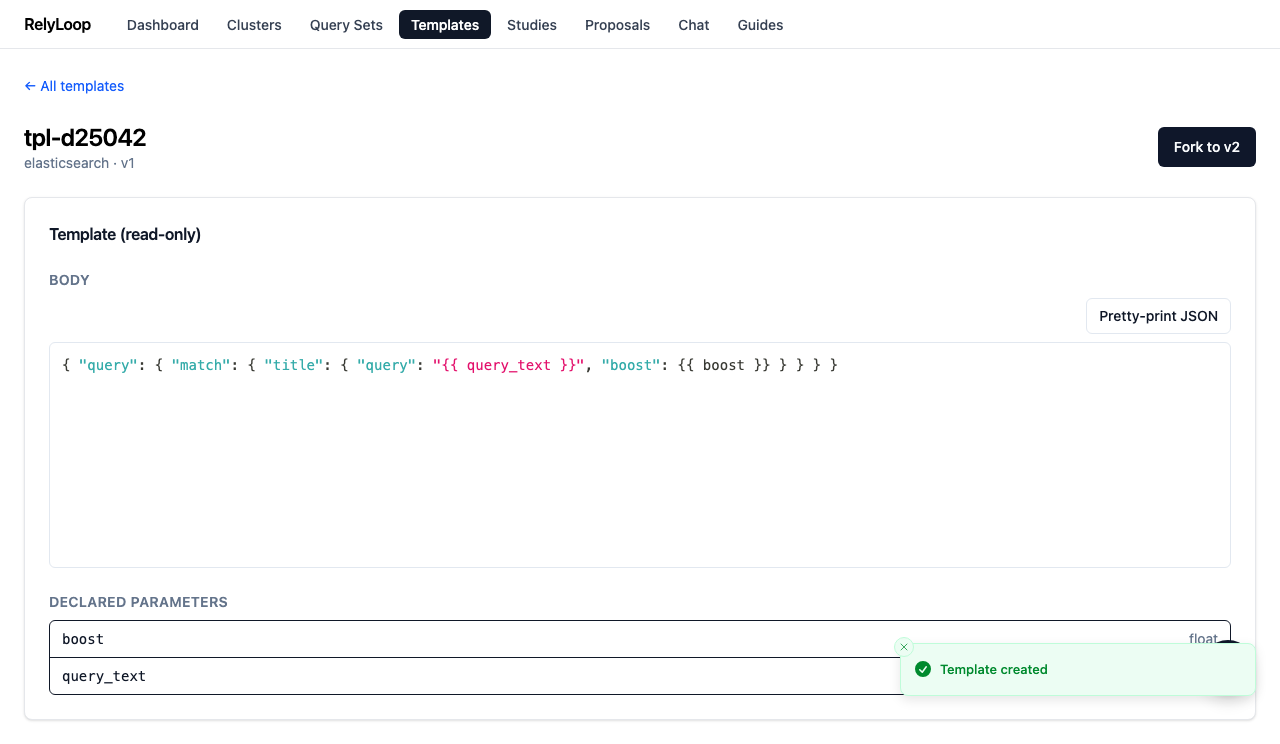
The body is a JSON template that embeds Jinja2 expressions for runtime substitution. {{ query_text }} and {{ boost }} are the parameters Optuna fills per trial. The Declared params block tells the platform their types — boost:float and query_text:string here.

Step 4 — Submit. RelyLoop validates the Jinja2 syntax + checks…

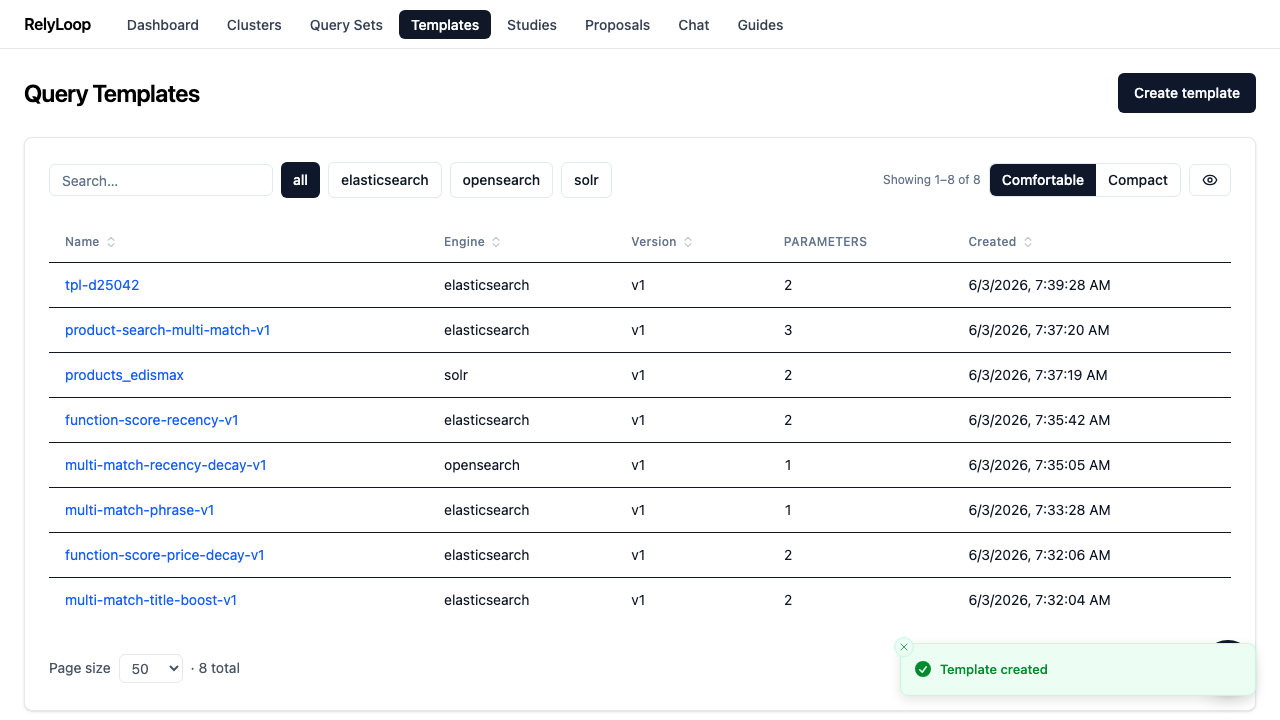
Submit. RelyLoop validates the Jinja2 syntax + checks that declared params match the params actually referenced in the body. On success, the new template lands in the list at version 1.

Step 5 — Templates are immutable — to evolve them, you…

Templates are immutable — to evolve them, you fork. Click 'Fork to v2' on the detail page to create a new version with the same name but version=2. The parent_id field on the new template preserves the lineage so studies can reference a specific historical version.

← Back to walkthroughs